Sitemaps: Your Structural Blueprint to Google
An XML Sitemap is a machine-readable document that informs search engines which URLs on your site are canonical, available for crawling, and recently updated.
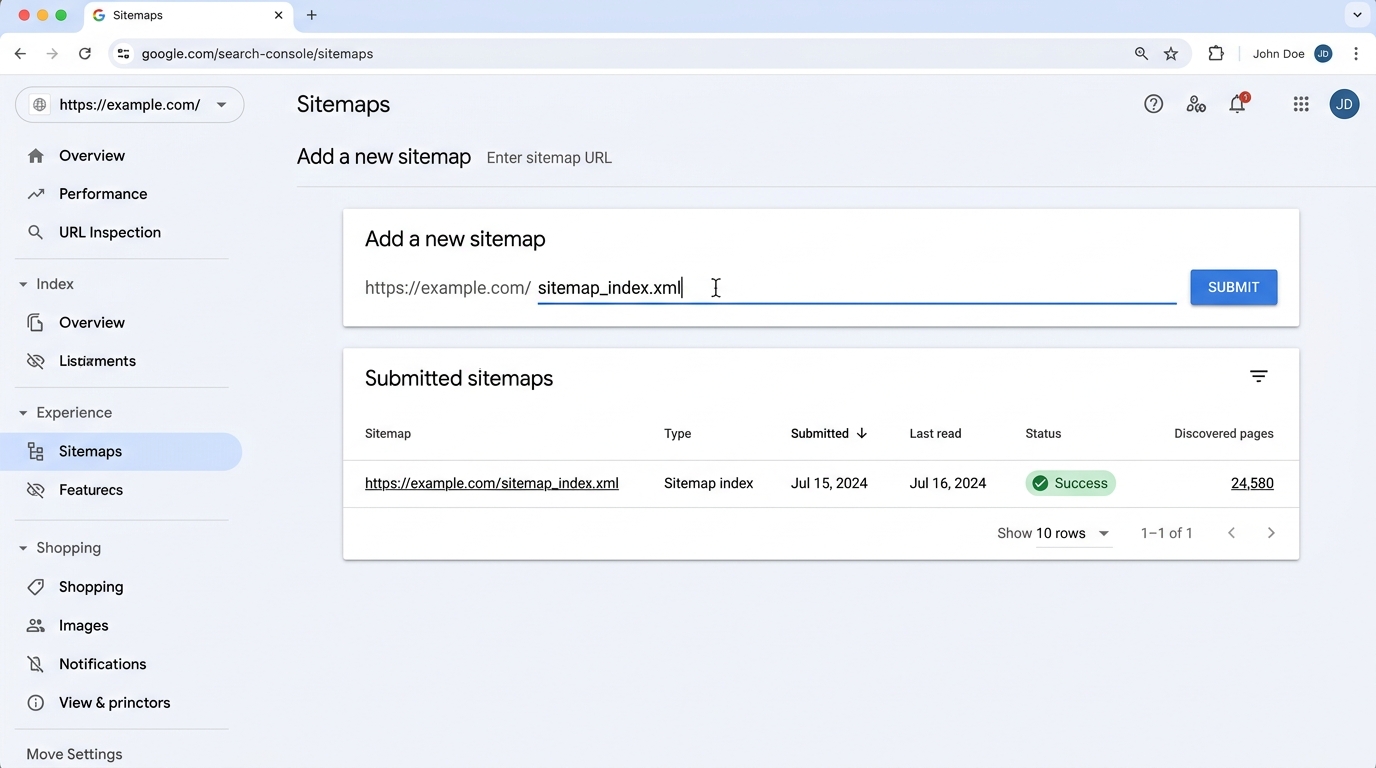 Figure 4.1: The Sitemaps report interface illustrating the submission input and the status table showing Sitemap index type, last read date, Success badge, and discovered page count.
Submitting your sitemaps in Search Console (Indexing > Sitemaps) provides two primary advantages:
- Immediate Discovery: Googlebot learns about newly created URLs instantly without having to wait for link traversal.
- Indexation Ratio Tracking: You can calculate the exact percentage of submitted URLs that Google actually chooses to index.
The Enterprise Sitemap Index Architecture
For sites with more than 50,000 URLs or file sizes exceeding 50MB (uncompressed), you must use a Sitemap Index File referencing specialized sub-sitemaps:
<?xml version="1.0" encoding="UTF-8"?>
<sitemapindex xmlns="http://www.sitemaps.org/schemas/sitemap/0.9">
  <sitemap>
    <loc>https://example.com/sitemap-products-1.xml</loc>
    <lastmod>2026-10-01T12:00:00+00:00</lastmod>
  </sitemap>
  <sitemap>
    <loc>https://example.com/sitemap-articles.xml</loc>
    <lastmod>2026-10-06T08:30:00+00:00</lastmod>
  </sitemap>
</sitemapindex>Why? In the GSC Sitemaps report, you can click on each individual sub-sitemap to see its specific indexation rate. If sitemap-blog-posts.xml is 98% indexed, but sitemap-products.xml is only 32% indexed, you immediately know your indexing problem is confined to the e-commerce product template!
Common Sitemap Errors in Search Console
| Error in GSC | Root Cause | Engineering Fix |
|---|---|---|
| “Sitemap could not be read” | Sitemap URL returned HTTP 404, 500, or timed out | Ensure sitemap URL is accessible and returns 200 OK |
| “General HTTP error” | Origin server firewalls blocked Googlebot | Whitelist Googlebot IP ranges in WAF |
| “XML tag not found: loc” | Malformed XML syntax or unclosed tags | Validate XML against schema definitions before deploying |
| “URL not allowed” | Sitemap contains URLs belonging to a different domain/protocol | Ensure all <loc> entries match the verified property scope |
| “Compressed file error” | Corrupt .gz compression archive | Test gzip decompression before serving |
Calculating Your Sitemap Indexation Efficiency
┌────────────────────────────────────────────────────────────────────────┐
│  INDEXATION RATIO = ( Indexed Submitted URLs / Total Submitted URLs )  │
│                                                                        │
│  • > 85%: Excellent crawl & content authority                          │
│  • 60% – 85%: Healthy, with minor pruning opportunities                │
│  • < 50%: Severe quality, duplicate content, or crawl budget issue     │
└────────────────────────────────────────────────────────────────────────┘